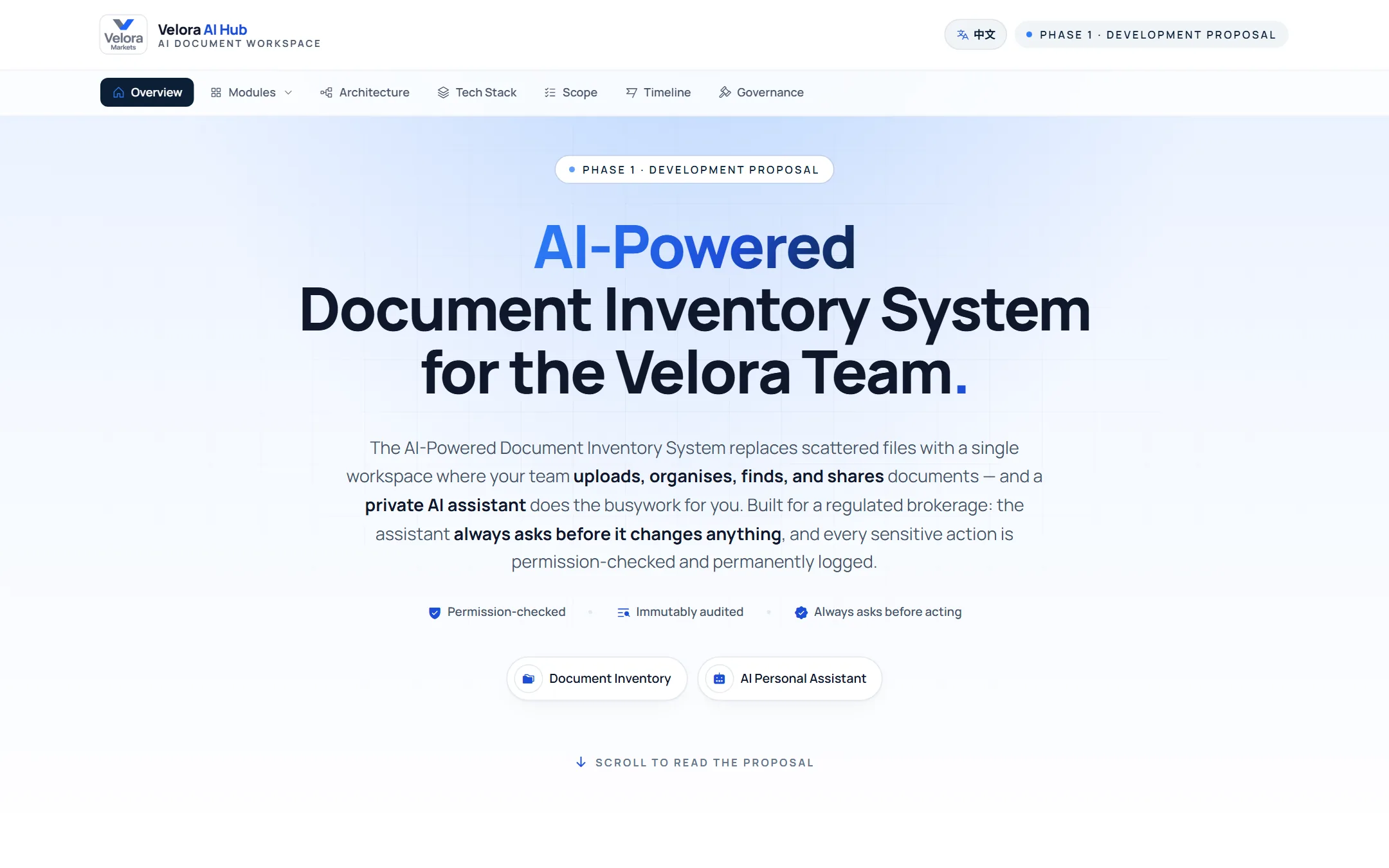
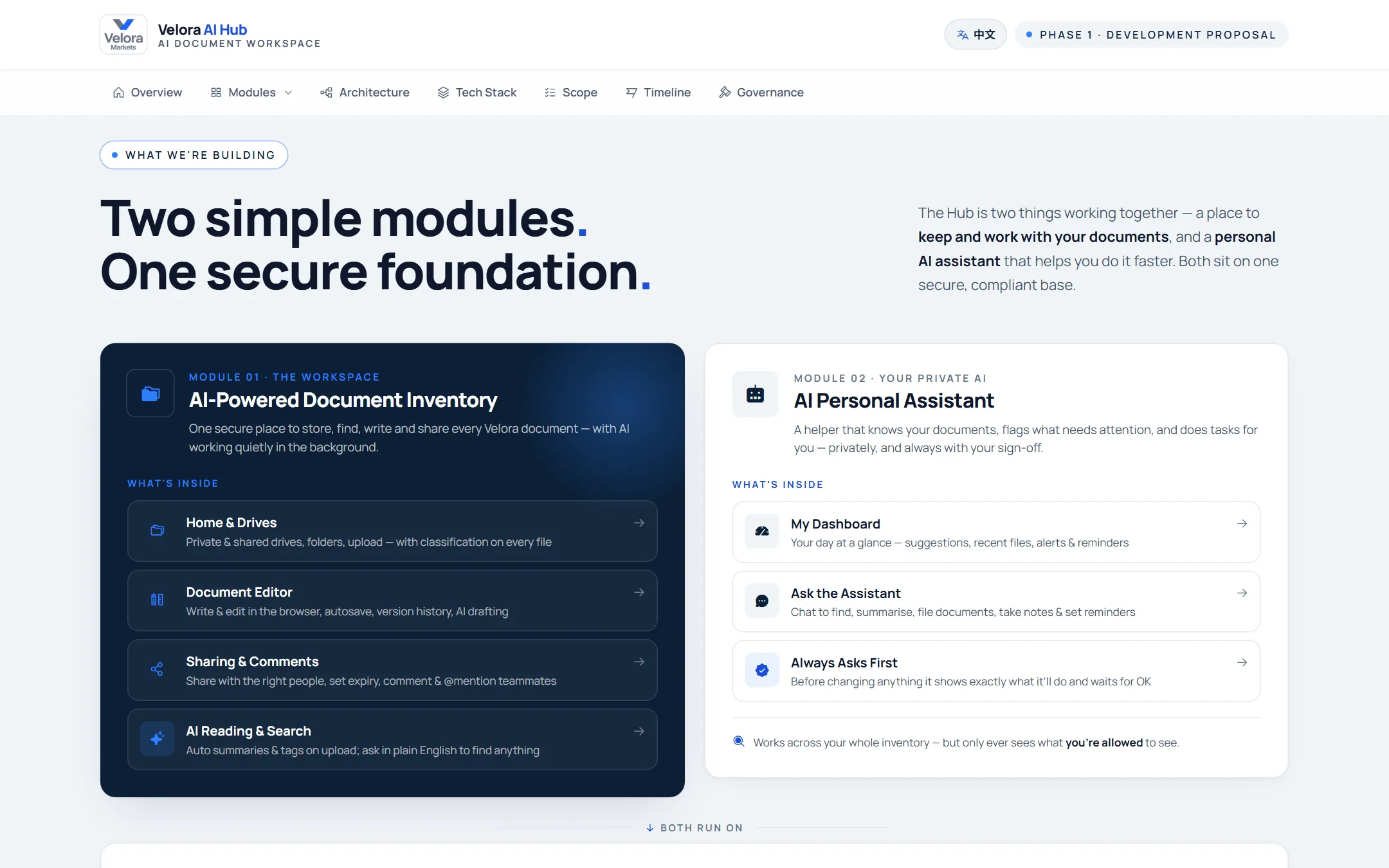
One private AI workspace for every file and every conversation
We designed and built Velora AI Hub for a regulated brokerage. Staff store and share documents in one place, find them by meaning, get AI summaries and ask an assistant. Next, team chat keeps shared files inside the same rules.
Velora MarketsOnline brokerage (FX/CFD)
Document Inventory
Team Chat
Delivery
37 daysfrom first commit to production
29 JunFirst commit
22 JulStaging live
5 AugProduction live
130staff accounts, signed in with Microsoft
4languages across the workspace
+58%faster downloads for staff in China
1,700+automated tests on every change
Marketing film
The whole project in one short film.
The challenge, the AI system we built and the results it delivered.
00Project overview
A regulated brokerage, with its files everywhere.
Velora Markets is an online FX/CFD brokerage operating in several Asian markets. Codech took the project from requirements to a live system: design, prototype, build, deployment and operations. Phase 1 went live in 37 days.
Client
Velora Markets
Industry
Online brokerage (FX/CFD)
Users
130 staff, signed in with Microsoft
Scope
Requirements, prototype, build and operations
Timeline
29 Jun to 5 Aug 2026 (37 days)
Status
Document Inventory live · Team Chat in build
The challenge
Critical files, and no way to find them
KYC files, client agreements, trade records, compliance policies and research were spread across personal drives and email. Search only matched filenames, scans and Chinese documents were invisible, and a regulated firm needed every change on record.
Our proposal
Prove it before we build it
We wrote an interactive proposal that mapped the workflow and the AI design, then built a clickable prototype the client approved screen by screen. Phase 1 focused on the document workspace, and Team Chat was scoped as a later phase so the core could ship fast.
The solution
Velora AI Hub: one private AI workspace
A workspace that works like Google Drive, running in the firm's own cloud. AI reads every upload so staff can find files by meaning, in English and Chinese.
Summaries, tags and key facts on every file, scans included
An assistant that proposes changes; a person confirms each one
Append-only audit trail, legal hold and per-document AI controls
Staff sign in with the Microsoft accounts they already have. Documents stay in the firm's own cloud in Singapore, and the AI runs behind one permission check.
Sign-in & AI02
Microsoft Entra IDSingle sign-on; 128 staff imported from the directory
OpenAIEmbeddings, GPT-4o-class analysis and vision for scans
Data & search02
PostgreSQL + pgvectorHybrid search, permissions and the append-only audit log
R
Redis · BullMQQueues the AI pipeline: extract, embed, analyse
Cloud & delivery02
T
Tencent CloudSingapore servers; storage with Global Acceleration
Docker ComposeRuns the stack; nightly backups with tested restores
02The problem
Files everywhere. Answers nowhere.
01
Scattered storage
KYC files, client agreements, trade records and policies lived in personal drives and email threads. Nobody had the full picture.
02
Search by filename only
Scanned PDFs and Chinese documents were effectively invisible. If you didn't know the file name, you didn't find the file.
03
Chat creates copies
A file sent in Teams is a detached copy: no classification, no version history, no access log, and no way to take it back.
03Document Inventory Live
Every file, found and understood.
Shared drives that work like the tools staff already know, with AI built into every file: it reads, summarises and answers, but only from documents the person is allowed to see.
Shared drives
Drives that work like the tools staff already know
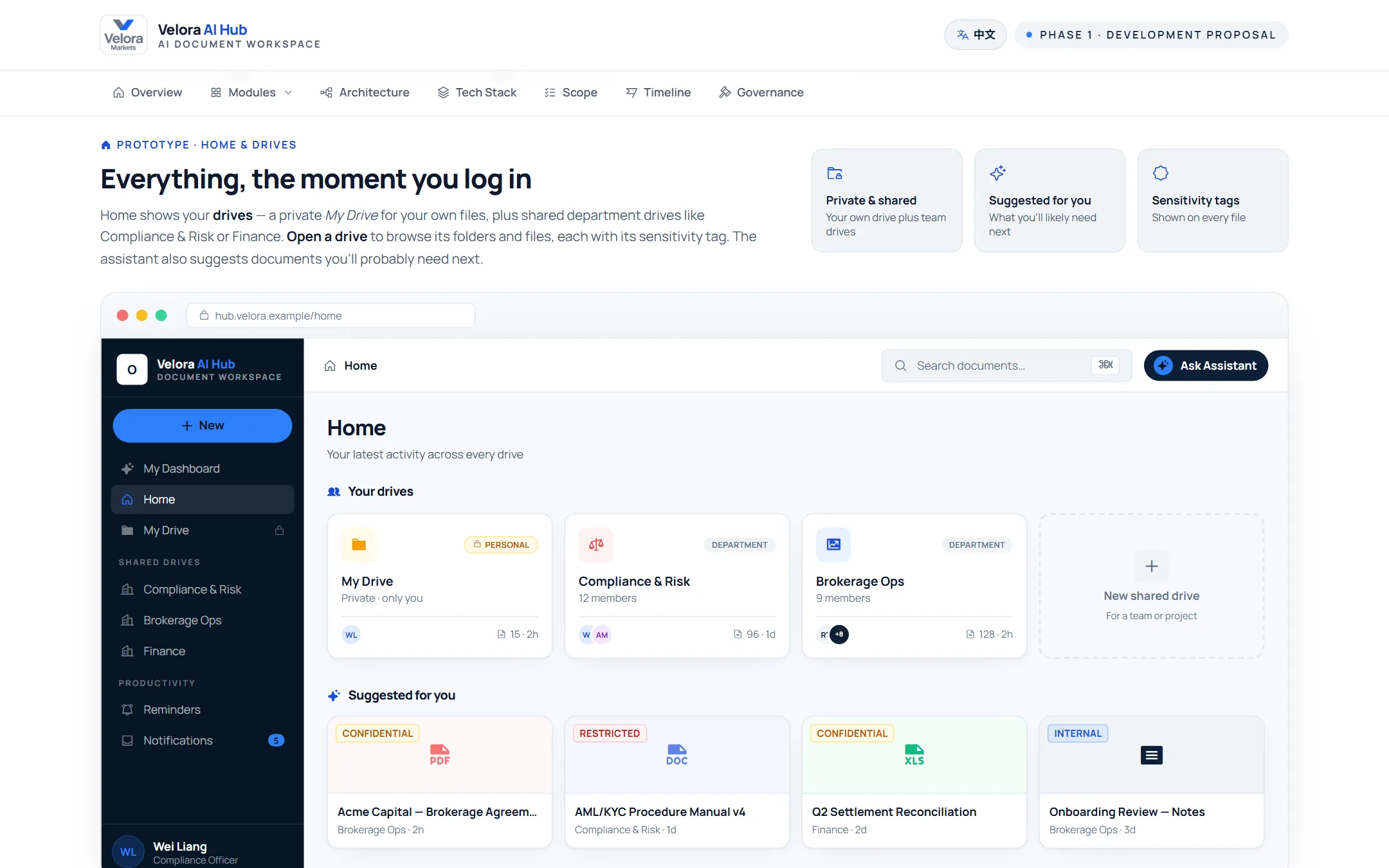
Personal, team and company-wide drives with folders, grid and list views, stars and recents. Every file shows its classification, and scanned images are read with OCR so they're searchable too.
Classification badge on every file: Public, Internal, Confidential, Restricted
Permissions follow the drive and folder, the way staff expect
AI search
Search by meaning, not by file name
Keyword and semantic search run together, so "passport expiring soon" finds the KYC pack that never uses those words. Works on scanned PDFs, images and Chinese text.
Results ranked with a match score and highlighted passages
Permissions are checked inside the search itself
AI summaries
Every upload arrives already read
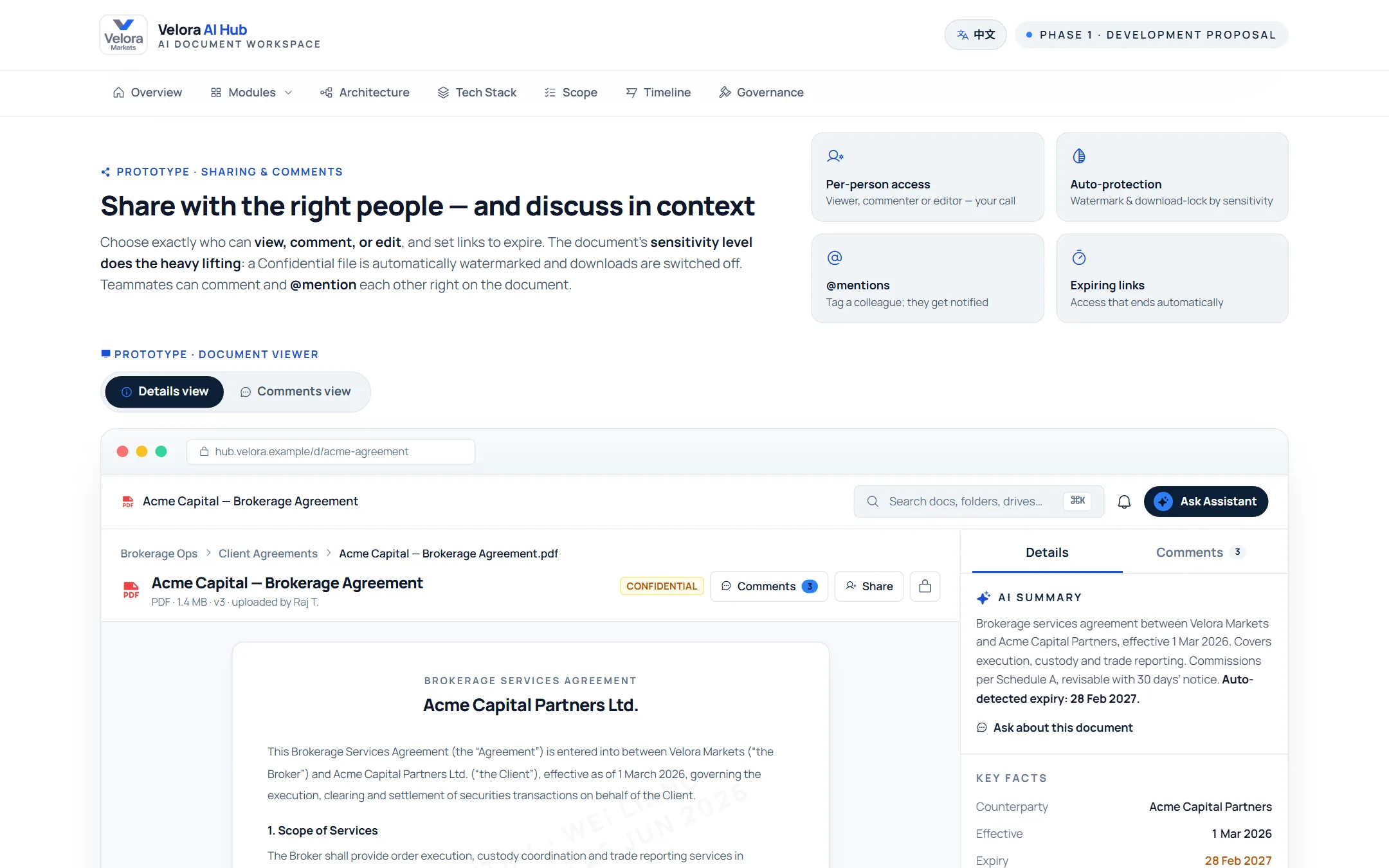
Each file gets a summary, category, tags and key facts such as client, owner and expiry dates, so you know what it is before you open it.
AI assistant
Ask, and it answers with sources
The assistant finds and reads documents for you and cites what it used. It can suggest changes, like a new folder, but nothing happens until a person confirms.
AI actions
One-click AI actions on any document
Open a document and pick an action: summarise it, pull out key facts, check unresolved comments, compare it with another version, or ask where it should be filed.
04Team Chat In build
Talk where the files live.
Channels and direct messages inside the same workspace. When someone shares a file, the message points to the real document, so it keeps its classification, permissions and latest version.
Channels & DMs
A file in chat stays the real document
Messages carry a live link to the hub file, not a copy. Rename it and every message updates. If someone can't open it, they see a locked card instead of the contents.
Classification badge on every shared file
Per-channel Files tab, voice notes and search
Quick Send
Share from anywhere, safely
Send several files or whole folders from any screen. If some people in the channel can't open them, you're told who, and you can grant access on purpose rather than by accident.
@ai in any channel
The assistant joins the conversation
Type @ai and the assistant answers for the whole channel, citing the documents it used. In chat it can only read, never change anything.
The key design decision
A channel grants no document access. Ever.
The shortcut was to reuse existing user groups as chat channels and get file sharing for free. We rejected it. Groups can be given whole drives, so adding someone to #deals would silently hand them every document ever posted there.
Instead, opening a file from chat runs the normal permission check against the document itself. Sharing stays the only way to grant access, so adding chat doesn't add a single new way for documents to leak.
A file is sent to a channelThe message holds a pointer to the hub document, never a copy.
Someone clicks itThe same permission check as the rest of the hub runs on the document itself.
The answer is the same everywhere
People with access open the live fileEveryone else sees a locked card
05How it works
One AI pipeline behind every file.
Uploads never wait on the AI. A background worker picks each file up, reads it and makes it useful everywhere in the workspace.
UploadFiles and folders, into the right drive and permissions
ExtractPDF, Word, Excel, PowerPoint, plus scans and images via vision
UnderstandText becomes searchable by meaning, in English and Chinese
AnalyseSummary, category, tags and key facts
Use everywhereSearch, the assistant and team chat
Private by design. The workspace runs in the firm's own cloud (Tencent Cloud, Singapore). The assistant only ever sees documents the person asking is allowed to open.
Signed in with Microsoft. 128 staff were imported from the firm's Microsoft directory, with single sign-on and two-factor sign-in.
06How we delivered
From proposal to production in 37 days.
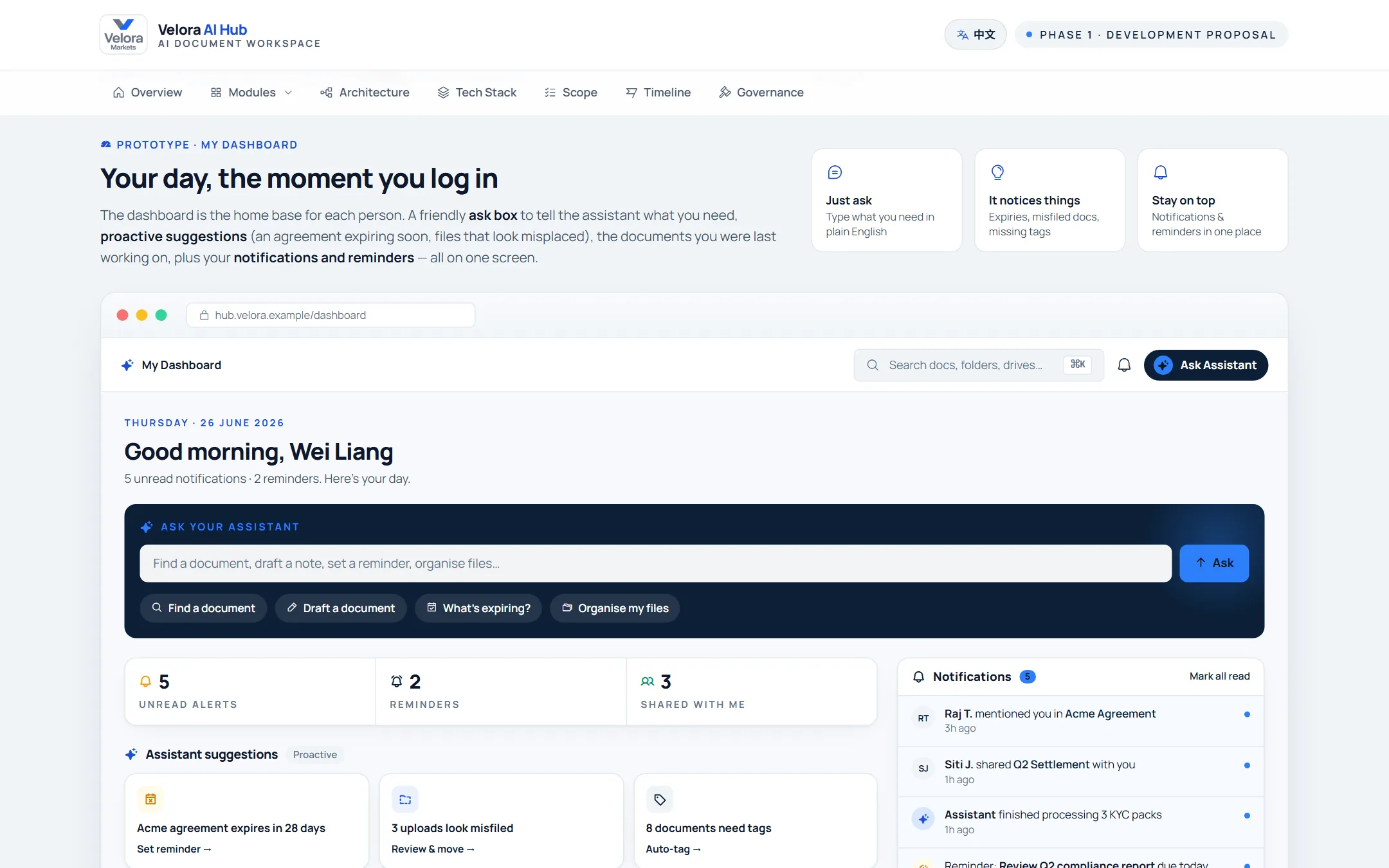
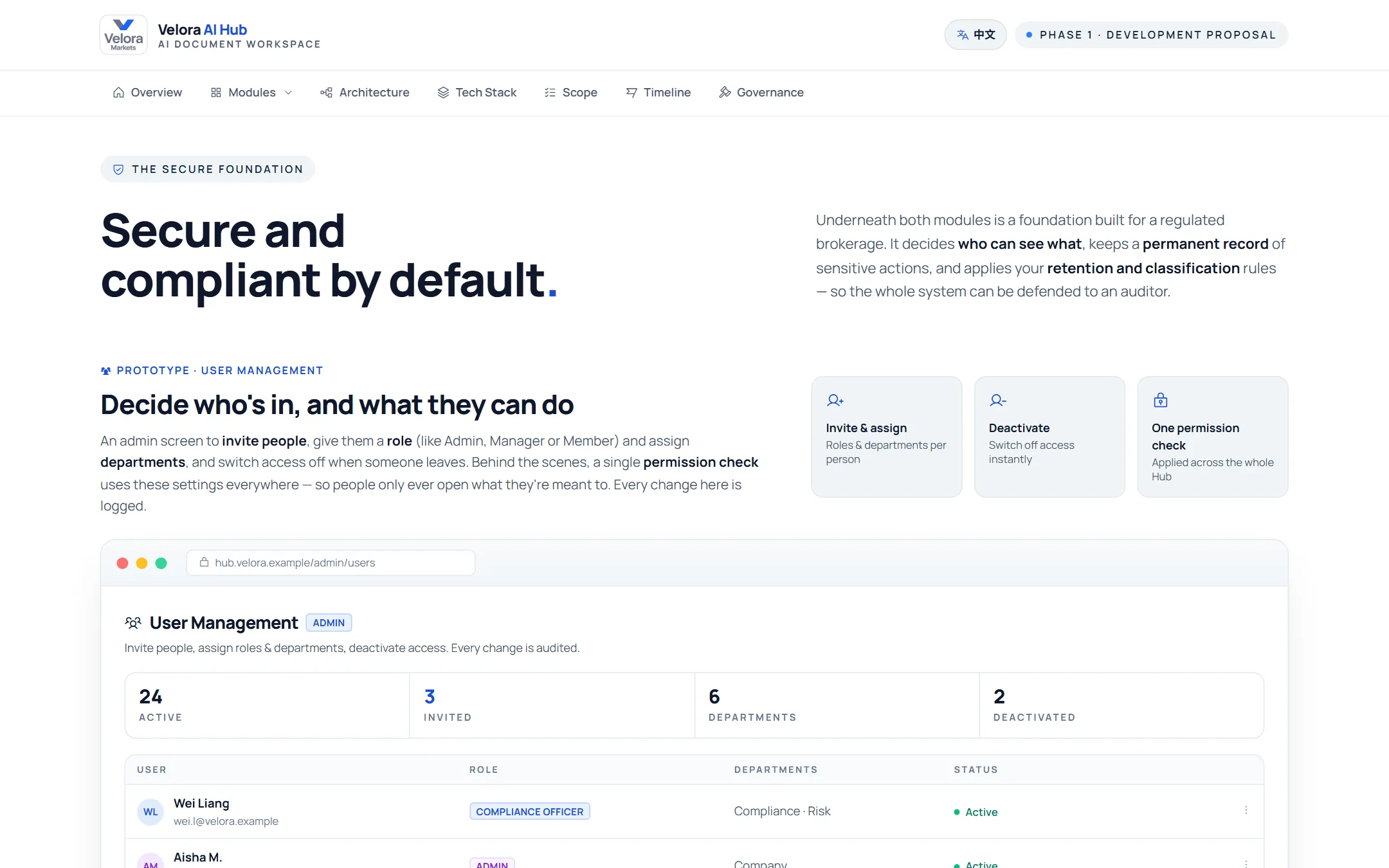
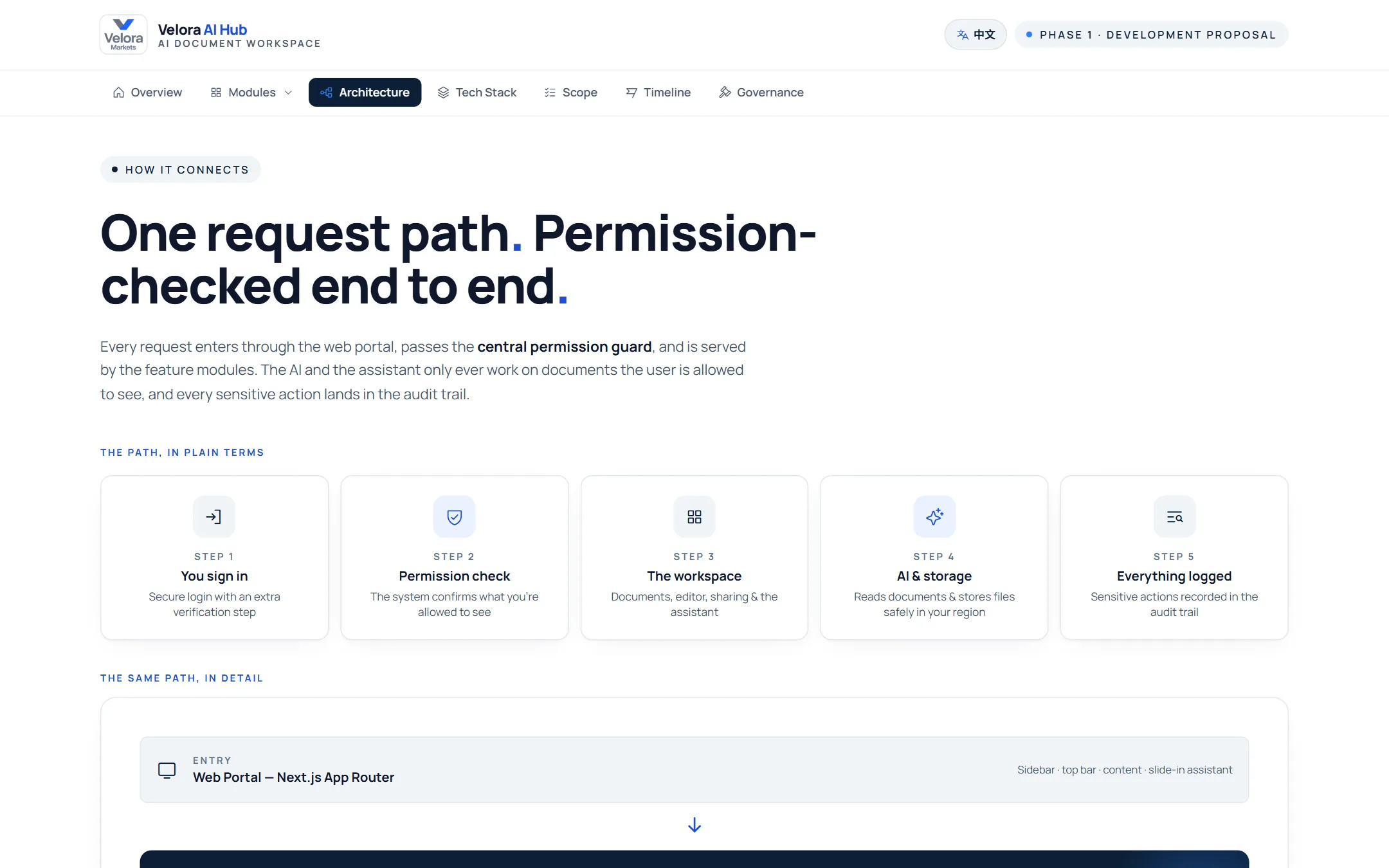
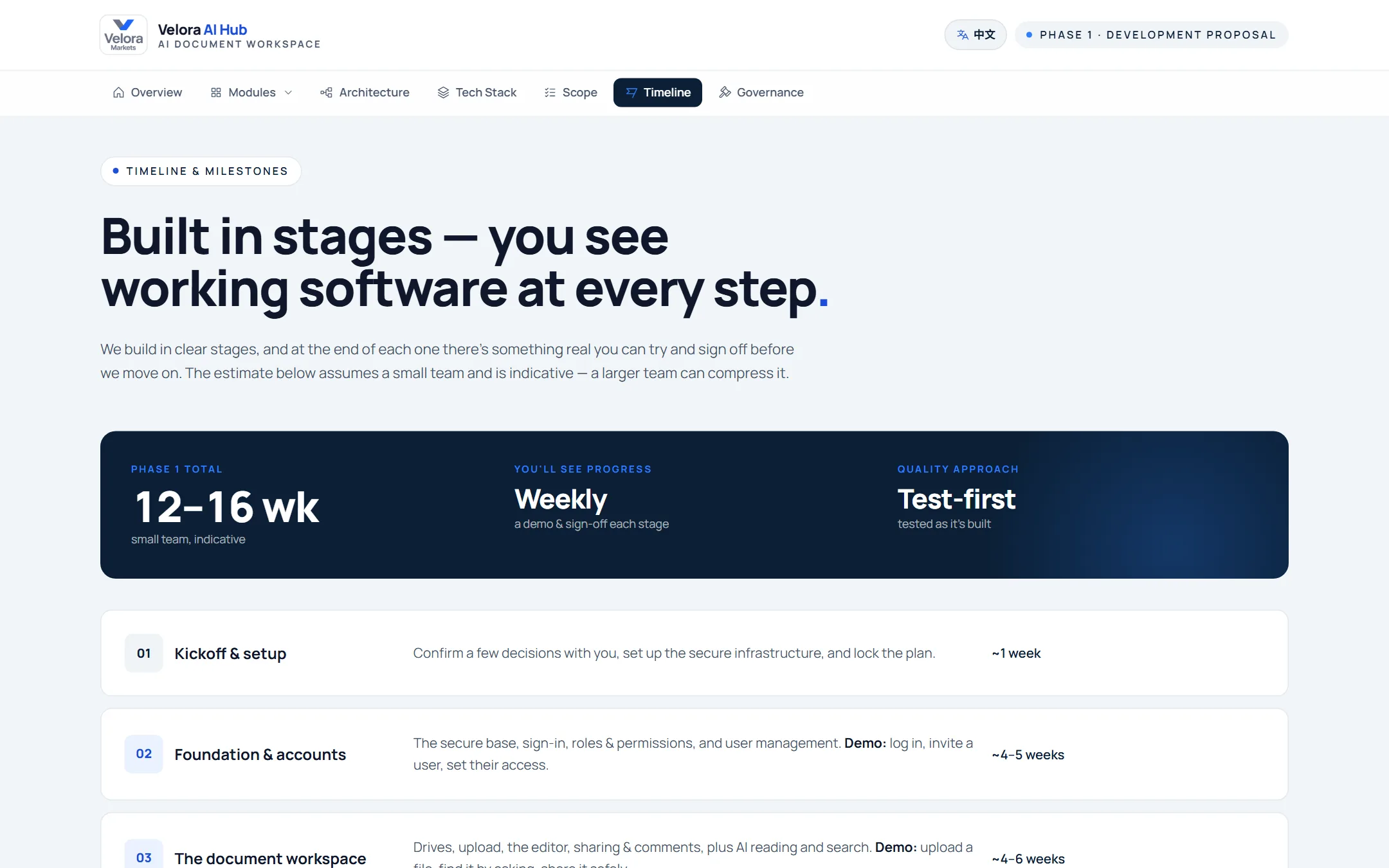
We pitched with a working proposal site. The client then clicked through a full prototype before we wrote any production code, and that approved prototype became the contract for every screen. Both are below: scroll and click around.
01
AI proposalFreeWe map the workflow and design the AI, in writing
02
Clickable prototypeFreeEvery screen approved before any code
An interactive proposal in English and Chinese: the modules, the architecture and the delivery plan.
Free AI proposal + prototype
Want a proposal and prototype like this for your business?
Tell us about one workflow you'd like AI to handle. We'll send you a proposal like this one, with the AI design, the screens and the plan, plus an interactive prototype you can click through. Free.
Approved by the client, then prototyped
Step 02 · The prototype
Click through before anything is built
The client approved it screen by screen. Every production screen is screenshot-tested against it.
Loading…
The real files from the engagement. The prototype uses demo data and includes the Team Chat screens.
01
Step 01Requirements & prototype
Specs, then a clickable prototype of every screen that the client reviewed and approved.
02
Step 02Build to the pixel
Each production screen is screenshot-tested against the approved design. More than 0.1% drift fails the build.
03
Step 03Launch & keep improving
Staging in week 4, production on day 37, and new modules like Team Chat added in slices.
07Under the hood
Built for a regulated business.
01An assistant that can't be talked into a change
It can only propose actions; a person confirms each one. Sharing and downloading are outside what it can do at all, because document text is treated as untrusted input.
02Fast for staff in China
A 26 MB download took 14 attempts from Beijing. Resumable downloads fixed it, and an accelerated route measured 58% more throughput from China.
03Every action on record
Every change writes an audit entry in the same database transaction, and the log is append-only at the database level, not just in code.
We'll look at where your documents and conversations live today and show you what an AI workspace would change, in a free 45-minute call. Then we send you a free AI proposal and an interactive prototype.